
REL
Get startedFree
Room for everyday browser workflows.
- Two tab groups with up to two sessions each
- Chromium version updates every week
- One scheduled prompt
- One custom profile
- One model provider
- One proxy
- CLI, MCP, RPC, and Rust SDK access
Browser automation on your Mac
REL is a customized Chromium browser built for privacy and customization that you can control from your terminal, Python scripts, or AI agents. Choose proxies and configure custom browser identities for each session.
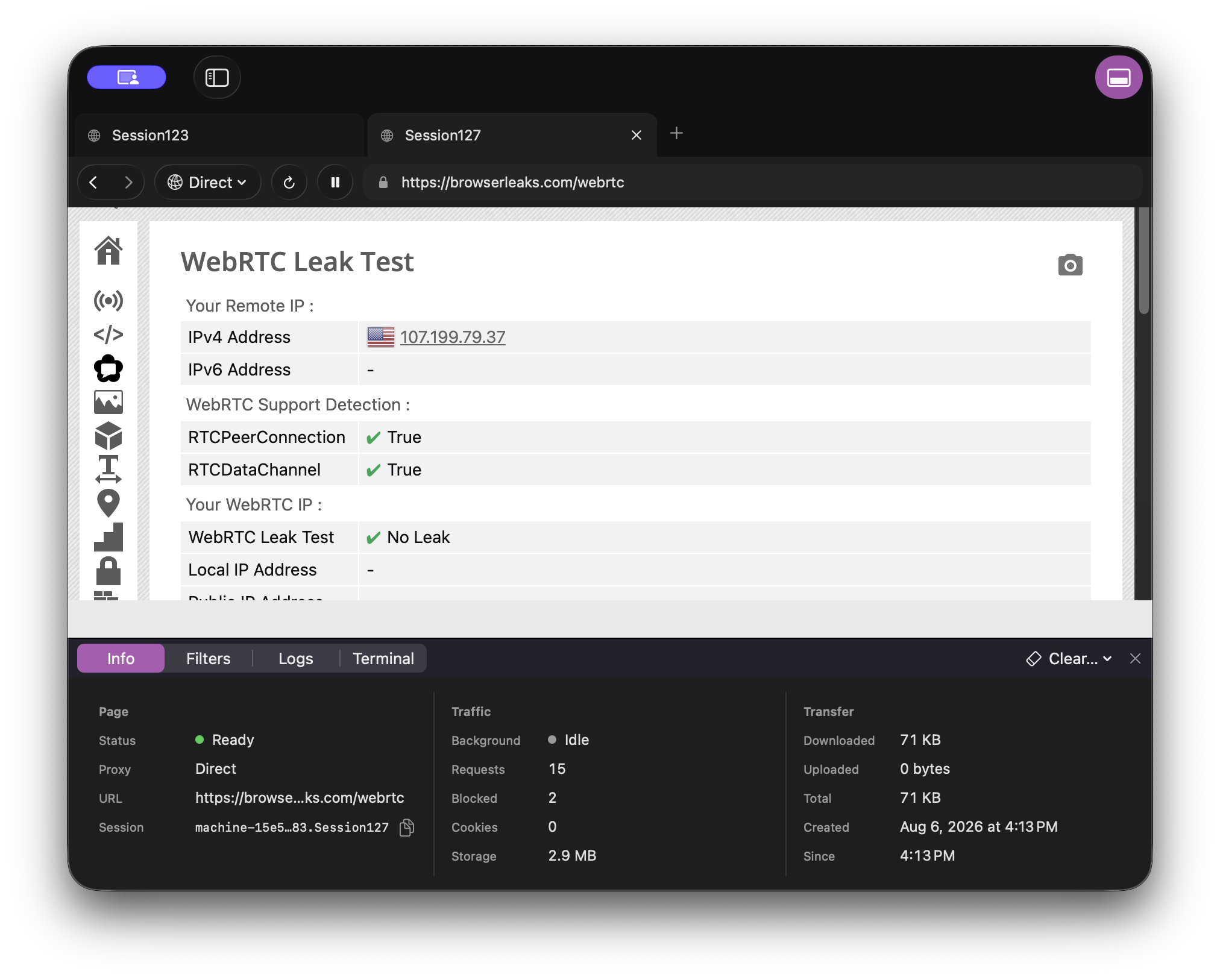
CLI / Python / MCP / HTTP API / Rust
01 / Start building
Start with a proxy and a reusable profile, then open your first page. Prefer Python or an AI agent? Connect to the same browser with the tabs below.
One setup, every new page. The Research profile starts a 1440px-wide viewport with Private browser identity and your saved proxy. The opened page shows the IP and country the website sees.
Just trying REL? rel navigate https://example.com works without a proxy subscription.
# 1. Save your first dedicated ISP proxy
rel proxy create --alias research-isp \
  --upstream-host disp.oxylabs.io --upstream-port 8001 \
  --username user-YOUR_USERNAME --password YOUR_PASSWORD

# 2. Save the proxy, viewport, and browser identity in a profile
rel profile create --name Research --proxy research-isp \
  --viewport desktop --browser-identity private

# 3. Open a page using that profile
rel navigate https://rel.me/proxy-test --profile Research
In REL, choose Settings → General → Install Command Line. This example uses an Oxylabs Self-Service Dedicated ISP subscription. REL Free includes one proxy and one custom profile. Replace the proxy user credentials before running it.
CLI setup and guidefrom rel_playwright.sync_api import sync_playwright
with sync_playwright() as playwright:
browser = playwright.chromium.launch()
page = browser.new_page()
page.goto("https://example.com")
print(page.title())
browser.close()Install the REL Playwright adapter using the Python setup guide. Keep REL open while your script runs.
Python setup and guide{
"mcpServers": {
"rel": {
"command": "/Applications/REL.app/Contents/Resources/rel-mcp"
}
}
}Add REL to an MCP client that supports this JSON configuration, then restart the client. Install REL in Applications first.
MCP setup and client guides02 / The browser layer, handled
Profiles define your setup. Tab Groups keep related pages together. Your scripts and agents work in the same Chromium browser you see.
Watch an agent work, step in when it needs you, and hand control back. Your browser sessions stay visible on your Mac.
Tabs in a group share cookies, storage, proxy, and browser identity. Separate groups keep that state isolated, so different accounts and workflows can run side by side.
Click, type, scroll, and navigate with native browser input. Agents use the same controls you see on the page.
Assign a proxy when a Tab Group is created. Every tab in the group uses that route and identity. Pause the group to cut its network access instantly.
Read rendered HTML or Markdown, inspect semantic structure, capture pixels, or combine structure and screenshots in one observation.
Save your proxy, viewport, browser identity, and filtering choices in a profile. Open new tabs with that setup, or create a separate Tab Group when you need fresh state.
Block ads, trackers, or heavy images with per-session bandwidth controls. Keep more of your metered traffic for the content you need.
Choose a profile and model, write a prompt, and set a schedule. Give recurring research and browser tasks a place to run.
03 / Measured in a real browser
Recorded checks for session isolation, browser identity, and network behavior. Each result belongs to a specific tested build.
| Check | What was tested | Result |
|---|---|---|
| Session isolation | 100 alternating actions across 2 profiled sessions and 1 native session. | Passed |
| Canvas & WebGL | Distinct profile output with coherent graphics in page and worker contexts. | Passed |
| DNS & WebRTC | Distinct DNS routes. No WebRTC route leaks observed; proxy failure closes the route. | Passed |
| Audio identity | Distinct audio output per profile, within tolerance, with native-session behavior preserved. | Passed |
| Permissions | Allowed, denied, and unset permissions checked, including isolation between sessions. | Passed |
| Renderer restart | Session identity and WebRTC policy remain coherent after the renderer restarts. | Passed |
+1.88% median navigation time and +0.68 MiB per browser with browser identity enabled versus native behavior, using the same four-profile workload.
Tested in RELDebug on macOS with 50 navigation samples per stage. These are development-build results, not a certification of the current download. Chromium 152 validation is pending.
Download the recorded results04 / Start free. Make room for more.
REL is free for up to two tab groups with two sessions each. Move to Pro when you need more room.
Free
Room for everyday browser workflows.
$20/ year
or $3.99/month
Permanent Pro access to covered versions, with updates while subscribed.
Yearly billing includes one year of updates; monthly billing includes updates each month. When your subscription ends, keep using your last covered REL Pro version. All app updates, including Chromium and security updates, stop until you renew.
Already have a license key? Activate it in REL → Settings → Plan. Compare plans ↗